Deploy CodeTogether AI on-premises
CodeTogether AI runs fully on-premises: inside your own Kubernetes cluster, behind your firewall, as a container managed by a Helm chart. CodeTogether has no access to your environment or your data.
- Deployment: On-premises
Deploying it is straightforward. Four dependencies need to be in place first — a service hostname, single sign-on, outbound email, and a database. Each is usually owned by a different team, so the preparation is written to be handed out. Once those are ready, the deployment itself is a single Helm command.
If your platform is hosted for you instead, see Set up CodeTogether AI SaaS.

What the deployment looks like
CodeTogether AI is a single container image deployed and upgraded by a Helm chart included in your installation package. The image is pulled from the CodeTogether registry using credentials your team receives at purchase.
TLS terminates at your cluster's ingress — no certificate is passed to the CodeTogether server. SSO is the only portal login method on-premises; no local password accounts are supported. Your database, email relay, and identity provider are all services your organization already operates; CodeTogether connects to them from inside the cluster.
Multiple replicas are supported and recommended for production deployments. Sizing guidance for the server pod is not yet finalized; ask your CodeTogether contact for interim sizing for your environment before you provision hardware or set resource requests and limits.

The path
- Prepare your environment — the four dependencies, with a brief per team and the values to collect.
- Install with Helm — the one-time prerequisites and the single install command.
- Activate a workstation against your server — pointing developer machines at your server.
- Set up your organization — license, source control, co-administrators, and getting data flowing.
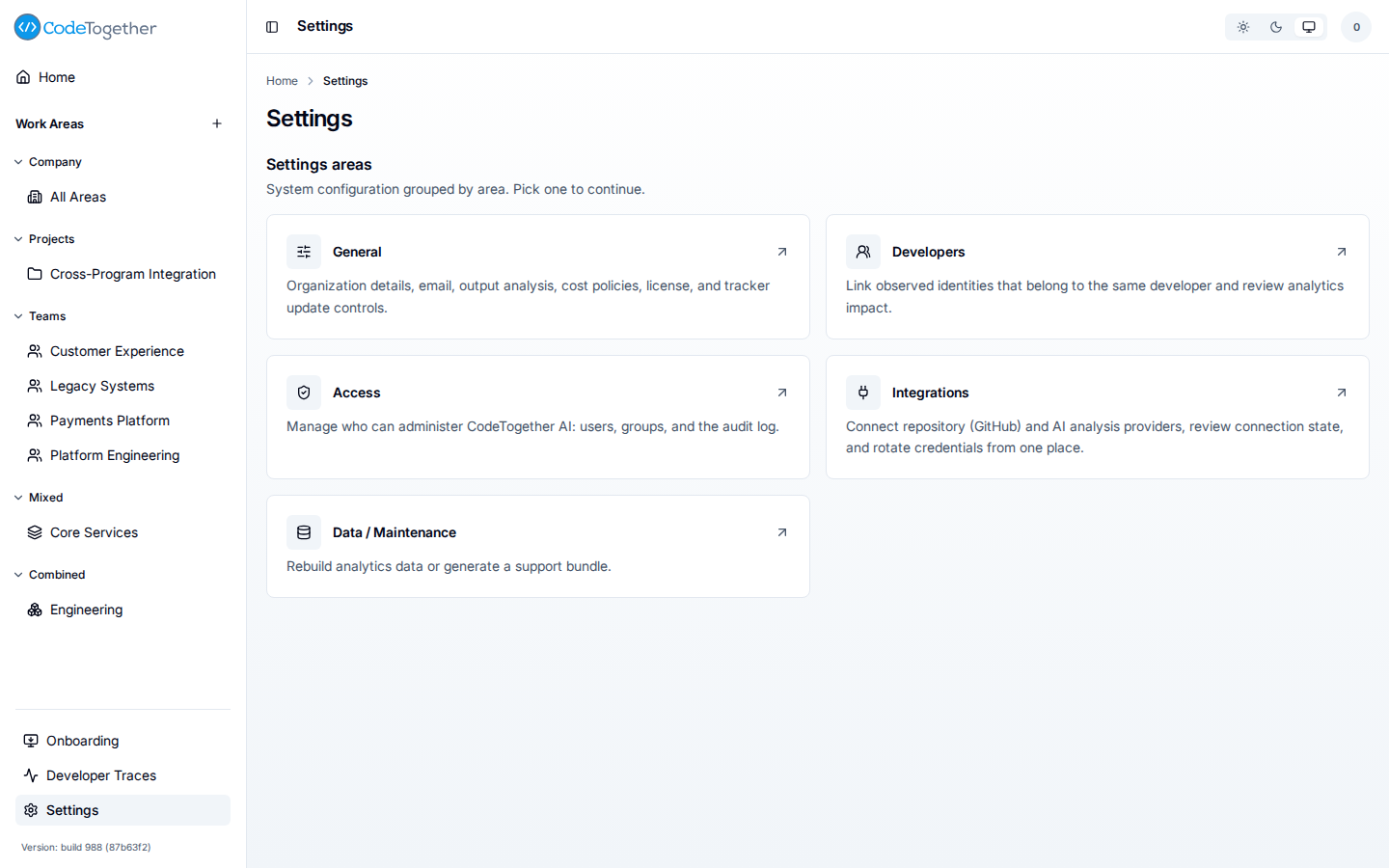
The five areas are General, Developers, Access, Integrations, and Data / Maintenance. Selecting General opens its own tabbed view, shown in Install with Helm; it covers organization details, email, output analysis, cost policies, license, and tracker update controls.
What does not leave your network
CodeTogether AI is designed to keep your data inside your perimeter. It does not collect source-code file content, AI prompt or completion content, or developer passwords and authentication tokens. The only outbound path is optional, off by default, and goes to an endpoint you choose and control. See What is captured.
CodeTogether Support has no standing access to your environment. If you invite support to help diagnose an issue, that happens by screen-share at your invitation and only for that session.
Related
- Prepare your environment — what to hand each team.
- Install with Helm — the deployment itself.
- Set up your organization — first steps in the portal.
- Set up CodeTogether AI SaaS — the hosted path instead.