Work area templates reference
Every work area is created from one of five built-in templates. The template fixes which coverage fields the work area accepts and the limits it enforces. Templates are supplied with the deployment and cannot be created or edited.
- Deployment: SaaS, On-premises
A template is chosen at creation and can be changed afterward from the work area's settings drawer, under Work Area type. Changing it clears the coverage you had entered, because the new template accepts different fields, and the change is written to the audit log. The company template is the exception: the default company work area keeps its template.
The code-formatted names on this page are the fields of the work area API, not labels in the portal. Creating a work area in the portal fills the same fields through the form described in Create a work area.
Templates
The following table lists the built-in templates:
| Template | Key | Coverage type | Coverage field | Required |
|---|---|---|---|---|
| Company | company | whole_company | None | No |
| Project | project | repositories | repoStableIds or repoSelectors | Yes |
| Team | team | people | committerEmails | Yes |
| Mixed | mixed | repos_and_people | repoStableIds or repoSelectors, and committerEmails | Yes |
| Combined | combined | work_areas | childWorkAreaIds | Yes |
A company work area omits all explicit coverage. Every other template requires at least one entry in its coverage field.
The template also names the area elsewhere in the product: the Work Areas Breakdown table on the AI adoption report carries a Type column reading Project, Team, Mixed, or Combined.
Coverage limits
The following table lists the maximum coverage each template accepts:
| Template | Maximum repositories | Maximum developers | Maximum child work areas |
|---|---|---|---|
| Company | Not accepted | Not accepted | Not accepted |
| Project | 50 | Not accepted | Not accepted |
| Team | Not accepted | 50 | Not accepted |
| Mixed | 50 | 100 | Not accepted |
| Combined | Not accepted | Not accepted | 20 |
Not accepted means the template takes no coverage of that kind at all. No template treats a
dimension as unbounded.
Work areas created by migration from an earlier version can exceed these limits. Those keep working and can be reduced, but an update must not increase a dimension that is already over its limit.
How coverage combines
The following table lists what each coverage type reports on:
| Coverage type | Reports on |
|---|---|
whole_company | All captured activity in the organization |
repositories | Activity in the listed repositories, by anyone |
people | Activity by the listed committers, in any repository |
repos_and_people | Activity in the listed repositories by the listed committers, the intersection of both |
work_areas | Everything the listed child work areas report on, the union of all of them |
Repository identification
Repository-scoped templates accept two forms, and a work area can hold both. The following table lists them:
| Form | Field | Resolution |
|---|---|---|
| Stable id | repoStableIds | Fixed. Matches one specific registered repository |
| Remote selector | repoSelectors | Resolved at query time from a normalized owner/repo or basename |
A remote selector keeps matching after a repository is re-cloned or re-registered, so it survives changes that would break a stable id.
In the work area's scope editor, a selected repository shows its resolved name, such as acme-corp/billing-service, with the remote URL as muted secondary text beside it on the same line and the full URL in a tooltip. An area saved against a stable id shows the resolved name too, and the next save records the selector form instead. A stable id that resolves to no registered repository keeps showing the raw id.
Child work area rules
Combined templates reference other work areas rather than copying their coverage. The following rules apply:
- Children resolve at query time, so a change to a child is reflected without editing the parent.
- A child must belong to the same organization.
- A child must not itself be a combined work area, and must not be the parent itself.
- A child must not be a company work area, including the default one.
- A child must be created from the Project, Team, or Mixed template.
Dashboards and reports per template
The template fixes which tabs a work area opens on. The following table lists what each one renders, in tab order:
| Template | Tabs | Gated tabs |
|---|---|---|
| Project, Team, Mixed, Combined | Home, Activity, Flow, Tooling, Tracking | Tracking: a work area Owner or Admin only |
| Company | Activity, Flow, Tooling, Tracking, AI Adoption Report | Tracking: a work area Owner or Admin only. Activity: only while no other work area exists |
For what each tab shows, see Dashboards.
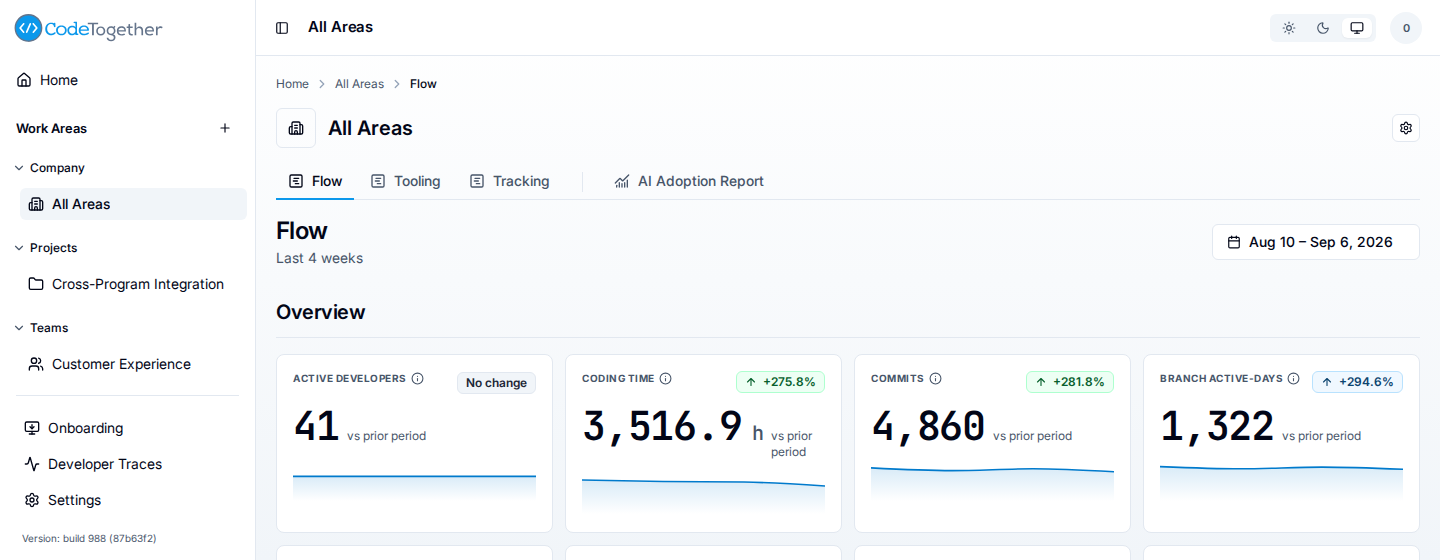
Two of those rows carry exceptions:
- The AI adoption report is available only on the company template, because it reports on organization-wide adoption rather than a scoped slice.
- The company template has no Home tab. Its Activity tab is gated because a company-wide directory grid is the union of every area's directories, and an organization with work areas already asks that question a level down.
A gated tab is absent from the strip rather than disabled, so a reader who does not meet the gate sees a shorter strip with no gap in it.
Related
- Work areas — what work areas are for and how coverage differs from membership.
- Create a work area — choosing a template and filling in coverage.
- Roles reference — the roles granted on a work area.