Members and developers
CodeTogether AI keeps two separate populations: members, the people who log in, and developers, the engineers whose work is captured. They are managed in completely different places, and mixing them up causes most onboarding confusion. This is the single most important idea in the product's access model.
- Deployment: SaaS, On-premises
A member is a login. A developer is a record built from captured activity. One does not create the other.
Members are the people who log in
A member is a person with a login who views or administers CodeTogether AI. Members hold roles, belong to groups, and are granted access to work areas. You manage them at Settings > Access, and you add one by email invite.
A member's login is never captured as work. Signing in and viewing dashboards is not development activity, so it is never attributed to anyone.
Developers are the engineers whose work is captured
A developer is an engineer inferred from captured activity: their Git commit email, IDE identity, or the AI agent acting on their behalf. All value points, coding time, and sessions attribute to a developer. You do not invite developers, and they do not need a login. A developer identity is created the moment the AITrax tracker runs on their machine and picks up their editor and AI-tool activity.
You manage developers from the Onboarding page and their workstation, and you add one by sending the shareable workstation setup link from that page. See Onboard a developer.
A login and a developer identity are two separate things
Inviting someone gives them a login right away. But their developer identity, the record that tracks their commits, coding time, and value points, is not created until the tracker captures activity from their exact email. So it is possible to invite someone who can sign in and see nothing on their own activity, because no developer record exists for them yet.
A work area invite states what it grants: access to that work area, with the role on the invite. It does not describe acceptance as joining the organization as a member. On-premises, accepting also redeems the person's other pending work area invites, and the form says so; SaaS spends one invite at a time.
Connecting a Git hosting integration such as GitHub does not fix this retroactively either. It only starts capturing new commits going forward, not past history.
The practical consequence: do not invite your whole engineering team as members. Invite the handful of people who need to see the dashboards, for example leadership, development managers, and team leads, and capture everyone else by rolling out the workstation setup.
Missing activity is usually an unlinked identity
The most common reason a developer's work is missing is that their commits carry a Git email the platform has not linked to their identity, so the activity is attributed to an unlinked developer identity. Their personal view looks empty even though the data arrived.
When one person commits under more than one email, an administrator can link those identities at Settings > Developers so their activity is combined. Linking changes analytical attribution only; it never merges member accounts, roles, groups, or permissions. Confirming a link queues a rebuild of your analytics; the combined history appears once the rebuild completes rather than instantly.
The platform proposes identity merges for you
Settings > Developers, the page that exists when developer identity management is enabled for your deployment, carries a Merge candidates card that finds the pairs for you. It lists identities that share a normalized email pattern and may be the same person, with the Evidence behind the pair and when it was Detected. Each row offers Review link, which asks you to confirm before anything is linked, and Dismiss, which takes an optional reason so the next administrator knows why the pair was rejected. A card reading "No open merge candidates right now." means nothing is currently proposed, not that linking is unavailable.
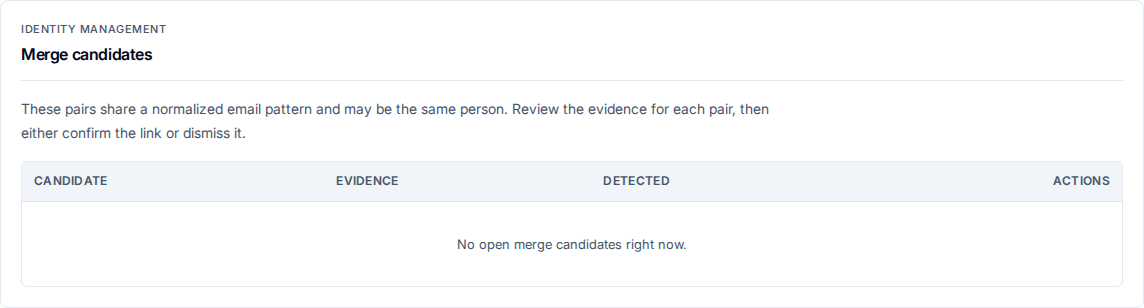
Merge candidates are a proposal, never an action. Nothing is linked until you confirm it, and confirming one queues the same analytics rebuild a manual link does.
Related
- Onboard a developer — installing the tracker that creates a developer identity.
- Invite users to your organization — adding a member with a login.
- Work areas — how captured activity is scoped into views.
- No activity appears for a developer — diagnosing the unlinked-identity case.