Release Notes for 2025.4.1 Release - October 8, 2025
Features
- Invite team members: Now global and project admins can easily share a direct link for installing the CodeTogether IDE Plugin with their developers, complete with a pre-written invitation message.
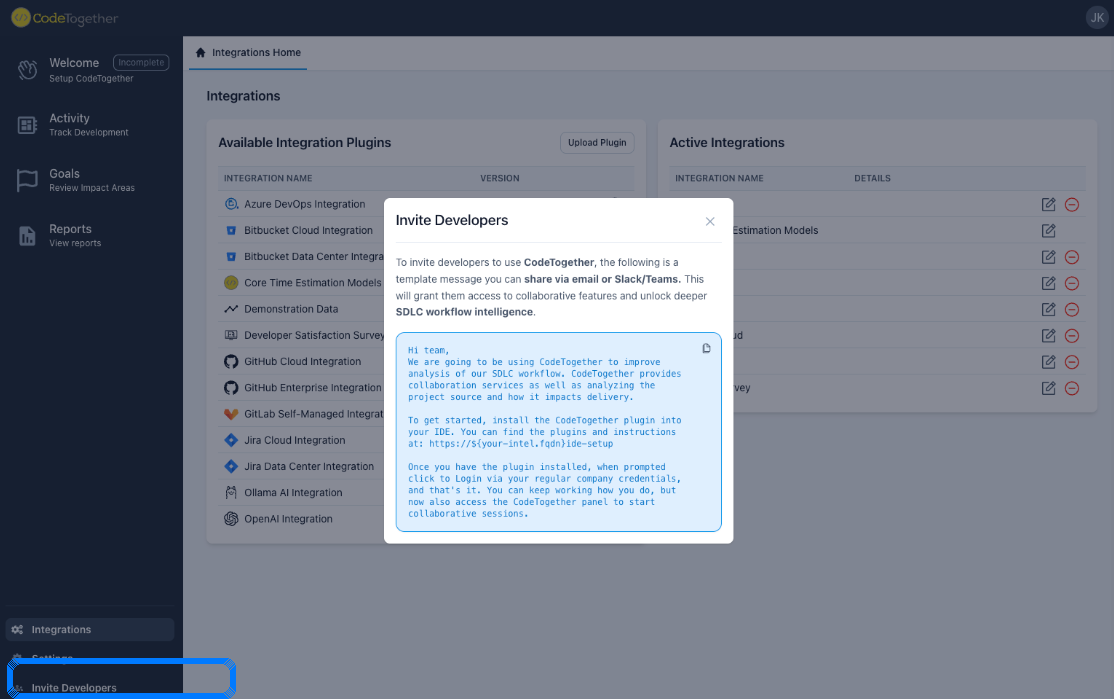
- Custom IDE plugin source: On-premises deployments can now be configured to use an alternate web server (via a reverse proxy) to serve the CodeTogether IDE plugin, giving organizations greater control over installation.
Improvements
Searchable time-estimate field: When setting up a project, users can now quickly find the correct time or story point field (e.g. Story Points) by typing its name instead of scrolling through a list.
Improved Azure DevOps team sync: The system now more accurately recognizes all active team members associated with an Azure DevOps project, even if they are not explicitly added to the Azure team.
Proxy support enhancements: Communication pathways were improved to support proxies, especially in context with IDEs that run in distributed environments (e.g. SSH or WSL configurations). IDE connection status is now detected appropriately even when behind a corporate proxy.
IntelliJ Version 2025.2.1: Made an update to ensure shared terminals are visible when a participant joining a session is using IntelliJ version 2025.2.1 or later.
Automatic recovery improvements: Additional safeguards and automatic recovery has been added for Azure DevOps when anomalies occur in the ADO server requests. While observed for ADO, this improvement will also benefit other integrations if an anomaly occurs.
Bug Fixes
Repository removal: Previously, removing a repository from a project could result in server log errors. Now, removal of repositories from projects will complete successfully in all cases, and the system ensures that at least one active repository always remains in the project.
Custom field names (Azure DevOps): When overriding field names at the project board level, the project setup wizard will now show the customized names on the selection list when configuring the estimation model.